This course will explain all about how our included booking system – which we refer to as All In – works.
If you have bought an inclusive done for you package that includes the system then look no further!
The content is broken up into short chunks so that you can zoom in to what you need, when you need it!
When you get your first booking just reach out to support and we’ll walk you through the whole booking process

An overview and intoduction to the booking system
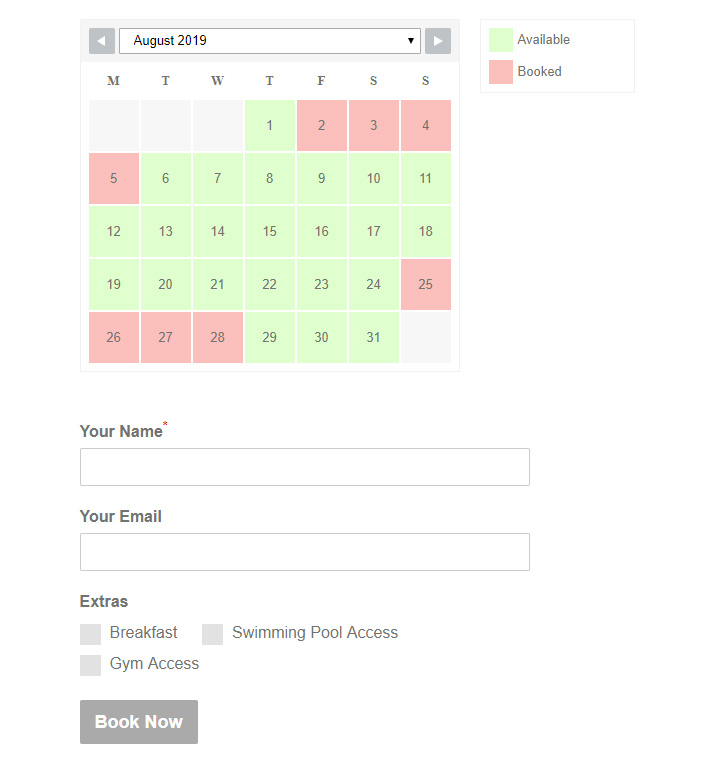
Before we take a deep dive into how the system works let's look at it from a guests point of view.
The Booking System set up
Setting up templates for often used emails (NOTE this is separate to the automated email sequence)
Stripe is a great option for taking payments securely on line. You can also use BACS and have guest pay on arrival. This lesson goes through the settings for all three
Setting up google ReCaptcha to minimise the chance of a spam booking
Useful to send as attachments to emails the system allows you to customise contracts and invoices

The calendar is where you set up pricing and your links to booking channels. You'll need a calendar for each of your properties. In this sections we will be looking at how the calendar is the work horse of the booking system.
In this lesson we'll look at how prices can be set in the calendar
Otherwise known as the colours! The great thing is we can set them to match the general look and feel of the website.
Setting up iCal to avoid double bookings
How to block dates for maintenance or your own stays!
The form is where you collect guest data and set your check in rules. It's fully customiseable.
The booking form collects all the data you need from your guests
Setting options for the bookings attached to the form
In this lesson we'll look at how you set up and customise your automated emails.
In this lesson we'll look at setting check in days and minimum stays.
Yikes! You just got your first booking!! What next?
There are a few extra things you need to do when someone pays using BACS
What to do when you need to make a manual booking (for example when someone books over the phone or via social media)
How to use the system to send an adhoc message
What to do when a guest needs to cancel.
Stripe is tightly integrated with the booking system (if you choose it as a payment method). This lesson shows how stripe takes and refunds payments.
Avoid double bookings by using ical to synch with your Airbnb calendar
Add minimum stay lengths to your booking rules
Make sure guests only arrive when you can accomodate by setting check in days.
If you want to add a new property to your portfolio this lesson explains how to set up your property and calendar. (Multipage/Property websites only)